
Everything Scopo can do
Every feature, explained.
Learn how Scopo keeps you focused by scoping everything to your current project. Pick a feature to dive in.
Window Switcher
See Only What Matters
Replaces macOS Cmd+Tab with a true window switcher scoped to your current Space.
Command Bar
Everything a Keystroke Away
The switcher's search box is a full command bar: jump to windows and browser tabs, launch apps, search the web, do math, and ask AI, all without leaving the keyboard.
Window Tiling
Snap Windows, Stay Scoped
Tile windows into clean split layouts with a keystroke or a drag. Layouts stay scoped to the current Space.
Tabbed Windows
Browser Tabs for Any App
Group any windows behind one tab strip, so your editor, terminal, and docs can share a single tile. Switch with a click or a keystroke.
Search
Find Any Window Instantly
Type to search across all your Spaces. Find any window by title or project name.
Profiles
Group Your Spaces by Client
Filter everything in Scopo to a single client or context with one click.
Single-Hand Navigation
Two Keys, Full Control
Navigate windows and Spaces without lifting a finger. Tab cycles windows, Cmd cycles projects.
Shelf
Your Per-Space Staging Area
Drop files, URLs, and text right into your workflow. Drag them out when you need them.
Projects
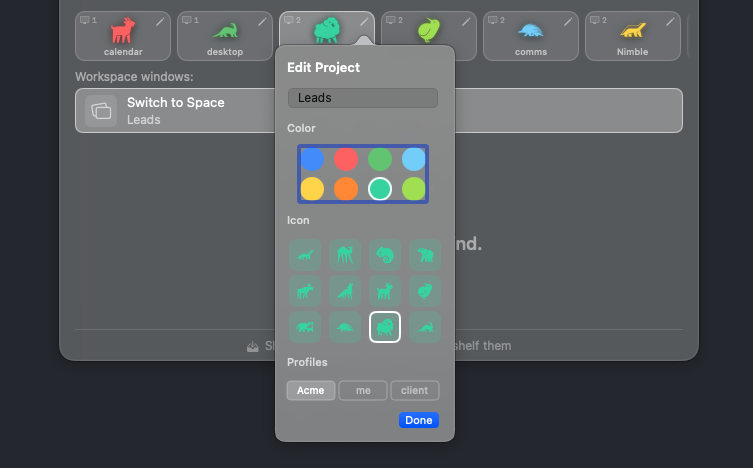
Named, Color-Coded Spaces
Every macOS Space gets a name, a color, and an identity you can recognize at a glance.
Move Window
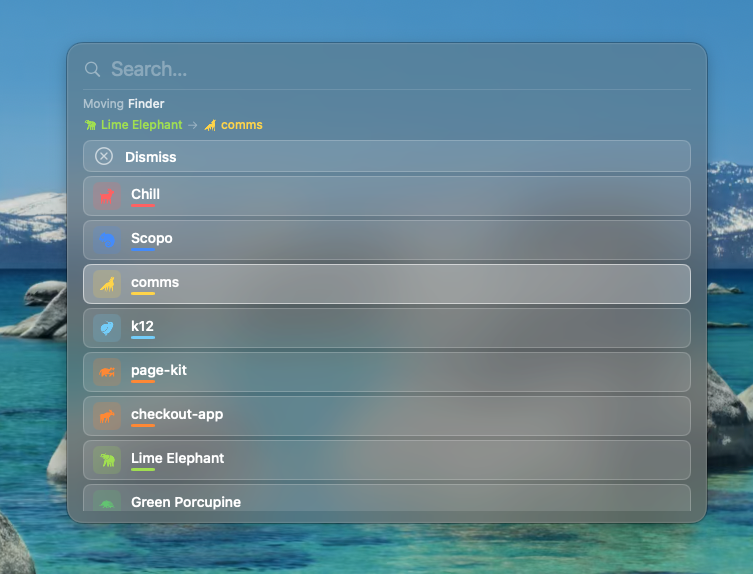
Relocate Windows in Seconds
Send any window to the right Space with one shortcut. Scopo suggests the best destination.
Preview Deck
See Before You Switch
Live window thumbnails as you cycle. See what you're switching to before you commit.
Ready to take back your focus?
Scopo's window switcher is free forever. Start an optional 30-day Pro trial to try every feature.
macOS 14+ required